
Polycam: 3D Scanner & Editor
PolycamPhotography
3.51.50K Reviews
- Version
- 3.0.13
- Installs
- 1.00M
- Age Rating
- Everyone
Screenshots
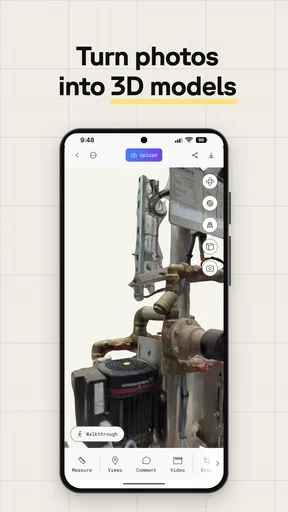
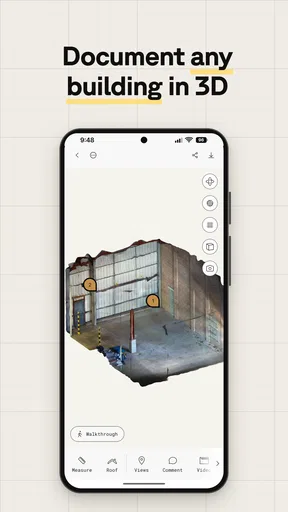
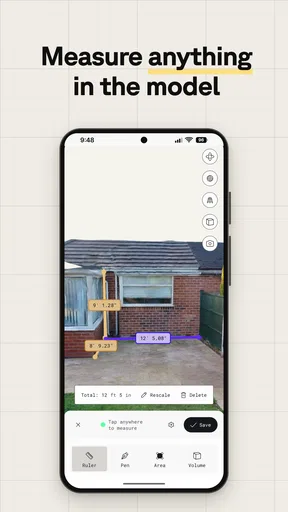
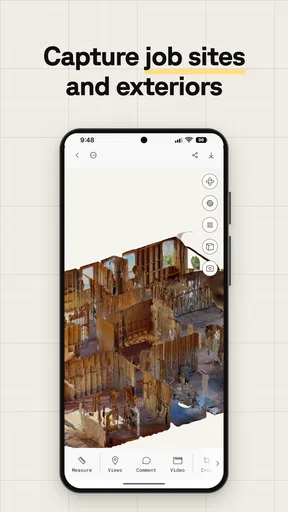
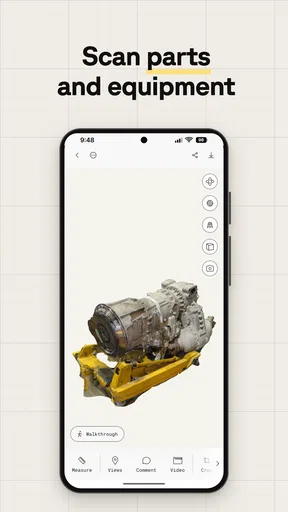
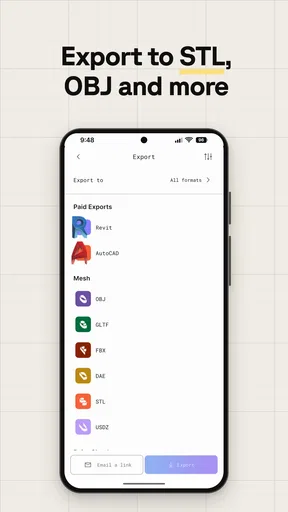

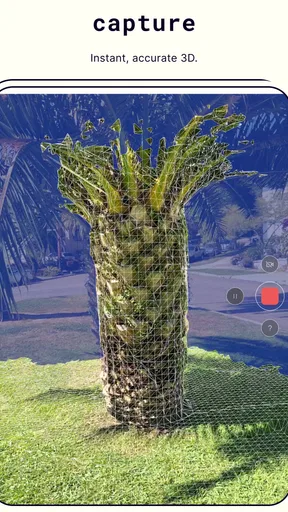
Our Review of Polycam: 3D Scanner & Editor
 Analysis by Appyee
I like the idea of keeping a shared home inventory in 3D, and Polycam can make that more practical than a folder of ordinary photos. Imagine a household documenting a chair before moving it, capturing a keepsake for a relative, or showing a friend how a room is arranged. One person can make the scan, then share the result for others to view. I would still treat each scan as that person’s project: shared access to a device does not mean everyone should edit or publish the same work without agreeing first.
Making shared-device use work smoothly
On a family tablet or a phone passed between housemates, I’d start by deciding whose account and project space the household will use, then agree on a simple naming habit such as the room and object. That small bit of coordination makes later browsing less confusing. Before handing the device to someone else, I’d also check which scan is open and whether it is ready to share. The app is a creative tool, not a household organizer, so clear habits do more for keeping projects tidy than expecting the app to manage who owns each scan.
For a moving-day example, one person could capture a few awkward items and share the models with a housemate who is planning where they might fit. That is useful for visual discussion, but I would not rely on a phone scan as a precise measurement or a substitute for checking dimensions with a tape measure. If exact fit matters, verify the measurements separately. A 3D view helps communicate shape and appearance; it does not remove the need for practical checks.
Who should use it, and who may prefer another tool
I can see Polycam working well for curious makers, people building visual references, and anyone who wants to explore an object from more than one angle without keeping it physically nearby. It can also help when a designer wants a rough reference to discuss with someone else. If your main goal is simply to preserve a moment, ordinary photos are quicker and easier to browse. If you need engineering-grade dimensions or a dependable model for a professional production workflow, a dedicated scanner or desktop tool is a safer choice.
Compared with a standard photography app, the trade-off is clear: a normal camera is faster for a single image, while Polycam asks you to move around the subject and process multiple views into a model. The payoff is an object that can be rotated and inspected, but the extra capture and processing steps only make sense when that added perspective is useful. I would not scan every household item; I’d reserve it for objects whose shape, layout, or context is worth preserving.
Capture choices that save time
For a first attempt, I’d choose a matte object with a clear outline and place it somewhere with even light and room to walk around it. Rather than racing through the capture, I’d keep my movement slow and overlap the views so the app has a better chance of relating one angle to the next. I’d inspect the result before spending time on edits: if a section is missing or distorted, recapturing it may be more effective than trying to repair it afterward.
Reflective and visually plain surfaces deserve extra patience. A shiny vase can confuse the capture because its appearance changes with the viewing angle, while a blank surface gives the app fewer visual details to match. If the object is valuable or fragile, I’d avoid moving it unnecessarily just to improve a scan. A less complete model is preferable to risking damage, and a set of regular photos may be the better record.
Privacy, age, and household expectations
Polycam is rated for Everyone, which makes it suitable for general audiences, but I would still guide younger users when they scan and share. A room scan can include personal belongings or reveal details about a home, so it is worth checking the frame before sharing anything outside the household. I’d also make sure children understand that a shareable model can show more than the one object they intended to capture. The useful rule is simple: review the whole result and get permission from anyone whose space or belongings are included.
Polycam is a free photography app from developer Polycam, with in-app purchases priced from $17.99 to $199.99 per item. Its average rating is 3.7 from around 24,000 ratings, and it has more than 1 million installs. Version 2.1.17 is listed for devices running OS 10 or later. I’d try the free experience before paying, especially if my use is occasional; the purchase range makes it sensible to first work out whether scanning is something I’ll return to. The Everyone age rating is reassuring as a broad content label, but it does not replace sensible supervision around sharing personal spaces.
One practical question is whether a scan is ready to use immediately. In my experience, capture is only part of the job: processing can take time, particularly for a detailed result, so I would not leave an important scan until the last minute. Another is whether the app replaces a camera or measuring tool. It does neither; it adds a rotatable visual record, while ordinary photos remain simpler and independent measurements remain essential when accuracy matters.
If several people share one device, agree on who will capture, name, and share each project before starting. If separate people need separate workspaces, check the app’s current account and sharing behavior rather than assuming the device itself will keep projects distinct. I would keep especially personal scans private and share only the finished item that others need to see. These boundaries are small, but they make a shared creative tool much easier to use without confusion.
If you've ever wondered how you might bring the real world into the digital realm, the Polycam: 3D Scanner & Editor app is your answer. This app is like having a portable 3D scanner right in your pocket. I recently took it for a spin and here's what I found.
Getting Started with Polycam
First things first, downloading and setting up Polycam: 3D Scanner & Editor was a breeze. Available on both Android and iOS, the app has a clean and intuitive interface that even a newbie can navigate. Once you open the app, you're greeted with a simple tutorial that walks you through the basics of scanning and editing.
Scanning: Bringing Objects to Life
Scanning with Polycam is as easy as snapping a photo. The app uses your device’s camera to capture real-world objects, and the results are surprisingly accurate. I started with small items like a coffee mug and worked my way up to larger objects. The detail captured is impressive, with textures and shapes coming through clearly. The app uses photogrammetry, which means it stitches together multiple images to create a 3D model. It even handles lighting variations pretty well, although consistent lighting helps.
One thing to keep in mind is that patience is key. For the best results, you need to slowly move around the object, capturing it from different angles. The app does a good job guiding you through this process, but a steady hand and a bit of practice definitely help.
Editing: Fine-Tuning Your Creations
Once you've got your 3D model, Polycam offers a suite of editing tools to tweak your creation. You can crop, resize, and adjust your models right in the app. The controls are intuitive; for instance, pinching to zoom and dragging to rotate feels natural. The editing suite might not be as robust as professional software, but for an app on your phone, it’s pretty solid.
One feature I found particularly useful is the ability to export models in various file formats. Whether you’re sending to a friend or uploading to a 3D printing service, this flexibility is a big plus.
Sharing Your 3D Models
What’s the point of creating something awesome if you can’t share it, right? Polycam makes sharing your 3D models a snap. You can easily upload to social media or share via a link. The app even supports AR, so you can place your 3D creations in the real world through your camera. It’s a fun way to showcase your work and see how your models look in different environments.
Room for Improvement
No app is perfect, and Polycam is no exception. While the scanning is generally reliable, it can struggle with reflective surfaces or complex textures. Also, the processing time for high-detail models can be a bit long, especially on older devices. That said, the developers seem committed to updates, and I’m hopeful these issues will be addressed in future versions.
Another thing to note is that while the app is free to download, some features are locked behind a subscription. This is pretty common in the app world, but something to consider if you're planning to use it extensively.
Final Thoughts
Overall, Polycam is a nifty tool that transforms your smartphone into a powerful 3D scanner. Whether you're a hobbyist, a designer, or just someone who loves dabbling with new tech, it’s worth checking out. The ability to capture and edit the world around you in 3D is not only fun but also potentially useful for a variety of creative projects.
In a world where digital and physical realms are increasingly blending, Polycam: 3D Scanner & Editor stands out as a tool that makes this transition seamless. So go ahead, give it a try, and start creating your own 3D magic!
Verdict
Strengths of Polycam: 3D Scanner & Editor
- Quick and accurate 3D scans.
- User-friendly interface design.
- Offline mode available.
- Integrates with other 3D tools.
- High-quality export options.
Limitations of Polycam: 3D Scanner & Editor
- Requires high-end device for best results.
- Limited free features.
- Occasional app crashes.
- Scan time can be lengthy.
- Learning curve for beginners.
Similar Picks in This Category
View All
Google Photos
Google LLC4.4

Gallery
Google LLC4.2

Picsart AI Photo Editor, Video
PicsArt, Inc.3.9

B612 AI Photo&Video Editor
SNOW Corporation4.1

BeautyPlus-Selfie Photo Editor
PIXOCIAL TECHNOLOGY (SINGAPORE) PTE. LTD.4.5

Remini - AI Photo Enhancer
Bending Spoons4.1
Frequently Asked Questions
What is Polycam and what can I use it for?
Polycam is a powerful 3D scanning app that allows users to create detailed 3D models using their smartphone's camera. It's highly useful for architects, designers, and hobbyists interested in creating digital replicas of real-world objects. The app also offers editing features to refine and enhance the scans.
How accurate are the 3D scans created by Polycam?
The accuracy of Polycam's 3D scans is quite impressive, leveraging advanced photogrammetry and LiDAR technology (on supported devices) to produce detailed and precise models. However, the level of detail can vary depending on the lighting conditions and the capabilities of your device's camera.
Is Polycam compatible with all iOS and Android devices?
Polycam is compatible with a wide range of iOS and Android devices. However, for optimal performance, especially when utilizing LiDAR capabilities, it's recommended to use the app on newer devices such as iPhone 12 Pro and later, or high-end Android models that support AR features.
Are there any costs associated with using Polycam?
Polycam offers a free version with basic scanning and editing features. For users seeking advanced tools and higher resolution exports, there is a Pro version available through in-app purchases. The cost may vary depending on the subscription plan you choose, offering monthly or annual options.
How can I export and share my 3D models from Polycam?
Exporting and sharing 3D models from Polycam is straightforward. The app supports various file formats like OBJ, STL, and FBX, allowing you to easily integrate models into other 3D software. You can also share your creations directly via social media, email, or cloud services for broader dissemination.
